
Updated August 2026
Using the QuickBooks Mobile app on the road shouldn’t be a last resort. It should be an asset that amplifies your financial capabilities in a competitive landscape where agility and real-time insight are essential.
The QuickBooks Mobile app lets traveling professionals send invoices, capture receipts, accept payments, and reconcile transactions from a phone, closing the gap between doing the work and getting paid for it. Global business travel spending is projected to hit $1.64 trillion in 2025, with average per-trip costs of $1,018, and busy professionals already lose more than 12 hours a week to administrative tasks, much of it manual expense reporting. The mobile app exists to claw that time back.
Key Takeaways
- Companies reported a 24% year-over-year increase in expense policy violations, with 15-20% of expense reports containing non-compliant spending, largely from lost receipts and manual reconstruction
- The IRS requires documentation for any business travel deduction over $75, and inadequate documentation results in denied deductions during audits
- Invoices with online payment options are paid up to 4x faster than paper invoices, according to Intuit QuickBooks 2025 data
- Businesses that send automated payment reminders get paid an average of 5 days faster
- Automated reminders save small businesses roughly 3 hours a week, according to Xero
- Mobile receipt capture directly addresses the biggest documentation risk of business travel: the crumpled, lost, or forgotten paper receipt
- The app is only as useful as the QuickBooks setup behind it. Poor configuration limits what mobile access can actually deliver

Navigating Financial Hurdles Away from Home
For professionals who are frequently on the move, the traditional office is replaced by airport lounges, hotel rooms, and client meeting locations. The demands of the job don’t pause for travel, and the road fills with financial obstacles fast.
Expense Tracking. Flights, lodging, meals, transportation, and client entertainment all pile up across a single trip, each with its own receipt and category. Global business travel costs rose 35% year-over-year from 2024 to 2025, which means the cost of tracking this poorly is rising too.
Invoicing and Payments. Clients still expect timely invoices and clear payment terms regardless of where you’re standing. Delayed invoicing means delayed cash. Businesses that invoice digitally are paid 4-28% faster than those relying on paper or manual processes, and that gap only widens the longer invoicing gets pushed to “when I’m back in the office.”
Receipt Management. Paper receipts accumulate fast and get lost, damaged, or faded before they’re ever logged. Since the IRS requires documentation for any business expense over $75, a missing receipt isn’t just an inconvenience, it’s a denied deduction waiting to happen.
Currency and Exchange Rates. International travel adds foreign currency conversion and fluctuating exchange rates to the mix, and manual conversion introduces its own error rate on top of everything else.
Time Constraints. Back-to-back meetings, conferences, and client interactions leave little room to update records or chase invoices. Every hour spent reconstructing a week of receipts on a Friday afternoon is an hour not spent generating revenue.

QuickBooks Mobile App Features
The QuickBooks Mobile app equips traveling professionals with a set of features built specifically for work that doesn’t happen at a desk.
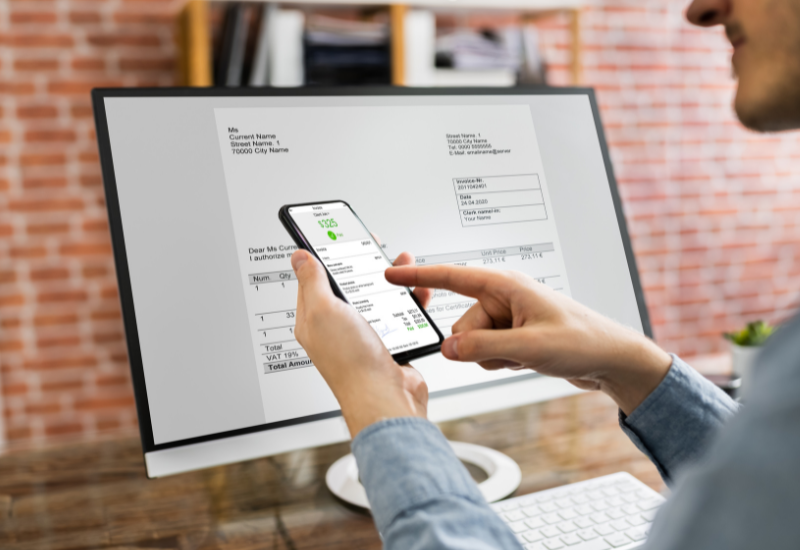
Send Professional Invoices and Estimates On the Spot. Create and send polished invoices immediately instead of waiting until you’re back at the office. Faster invoicing means faster payment, and digital invoices are paid up to 4x faster than paper ones.
Capture Customer Signatures Directly on Invoices and Estimates. Adds professionalism and confirms the commitment between you and the client on the spot.
Accept Electronic Payments in the US and Canada. Physical distance from a client shouldn’t slow down cash flow. Electronic payment options keep money moving while you’re on the go.
Capture Receipts and Categorize Expenses Automatically. Snap a photo and let the app handle categorization, which matters given that companies see a 24% year-over-year rise in expense policy violations tied largely to lost or mismanaged receipts.
Reconcile Bank and Credit Card Transactions on the Go. Intelligent matching keeps your records current without waiting for a desktop session.
Access Real-Time Reports From Anywhere. Check business performance between flights or meetings instead of waiting for month-end.
Finding Financial Success with the QuickBooks Mobile App
The QuickBooks Mobile app makes managing finances while traveling genuinely convenient. But its full value only shows up when the QuickBooks system behind it is properly set up. A mobile app connected to a messy chart of accounts or unmapped items just makes bad data easier to generate quickly.
At MISSION Accounting, we’ve helped clients get this right, whether that means streamlining expense tracking, setting up clean integrations, or making sure the data behind the app is accurate before it ever reaches a phone screen.
Frequently Asked Questions
Is the QuickBooks Mobile app free with QuickBooks Online?
Yes. The mobile app is included with any QuickBooks Online subscription at no extra cost and syncs directly with your existing account.
Can I use QuickBooks Mobile without an internet connection?
The app requires an internet connection to sync data in real time. Some features, like drafting an invoice or photographing a receipt, can be started offline, but they won’t sync until you’re back online.
What receipts do I actually need to keep for business travel?
The IRS requires documentation for any business expense over $75, though keeping records for smaller expenses is still good practice. Photographing receipts through the app the moment they’re incurred is the most reliable way to avoid a missing-documentation problem at tax time.
Does mobile invoicing actually get you paid faster?
Yes. Invoices with online payment options are paid up to 4x faster than paper invoices, and automated payment reminders shave an average of 5 more days off collection time.
Do I need a professional QuickBooks setup to benefit from the mobile app?
The app works regardless of setup quality, but a poorly configured chart of accounts or item list means the data flowing through the app, and the reports built on top of it, won’t be reliable. Setup is what turns mobile access into something you can actually trust.
Get the Setup Right, Then Take It On the Road
The QuickBooks Mobile app can turn travel from a financial blind spot into one of the most efficient parts of how you run your business. But the app is only as good as the system behind it.
At MISSION Accounting, we make sure QuickBooks is configured correctly from the start, so the reports you pull between flights are ones you can actually trust. Contact us today for a free consultation, and let’s make sure your QuickBooks setup is built for the way you actually work.
